$300 Free Credits
Avail $300 Free Google Credits
Unlock $300 Google Cloud credits and use Nano Banana Pro, Veo 3.1 and more AI APIs without limits.
$0
Free Credits
0 Days
Valid For
0+
Images
0+
Videos
1
Activate Your $300 Google Cloud Free Trial
- Open Google AI Studio in your browser
- Click on Nano Banana Pro (or Veo 3.1)
- Below the interface, find and click "Get API key"
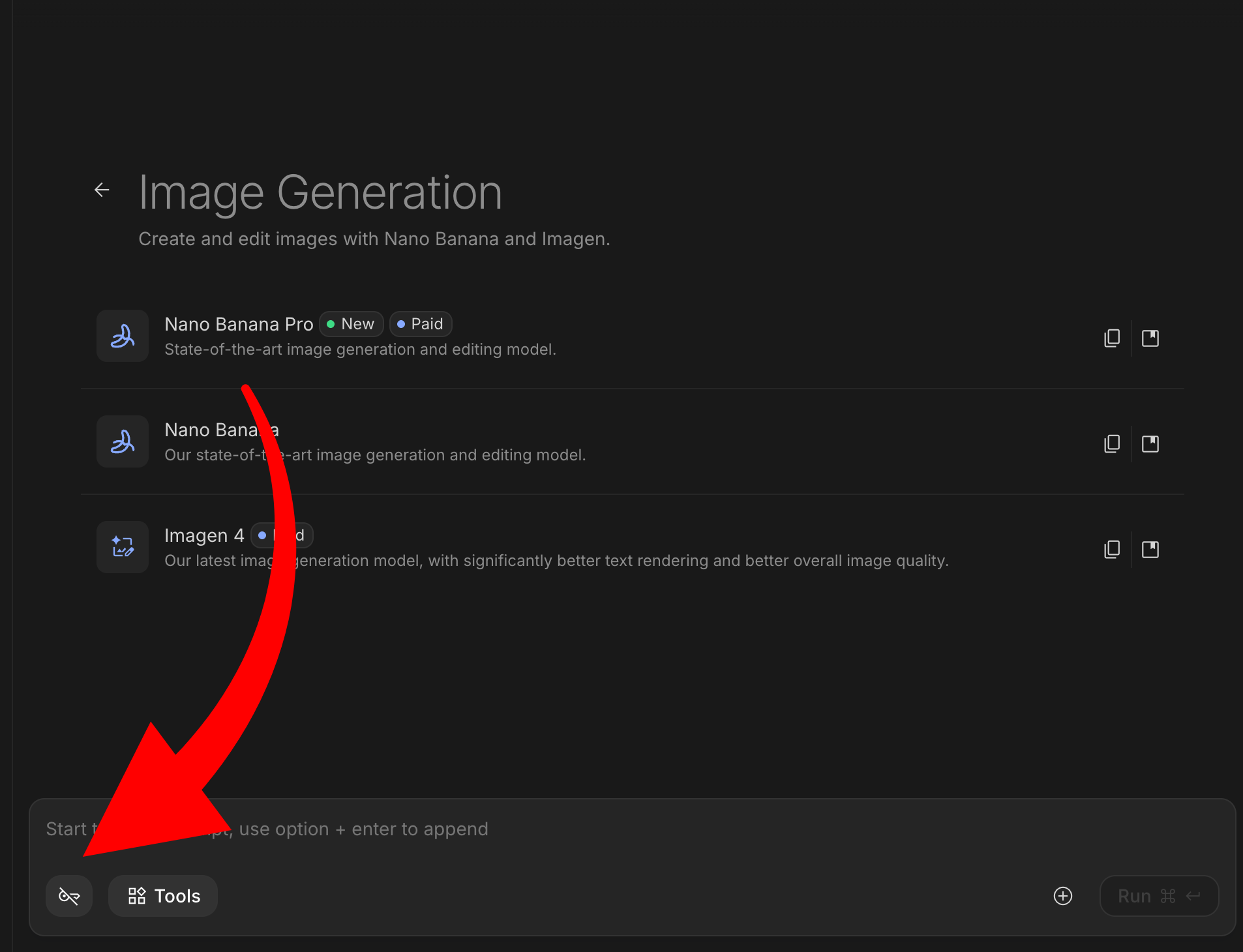
- Click "Go to Project Page"
- Click Create Project
- Give it a simple name (example: NanoProject01)
- Click Create
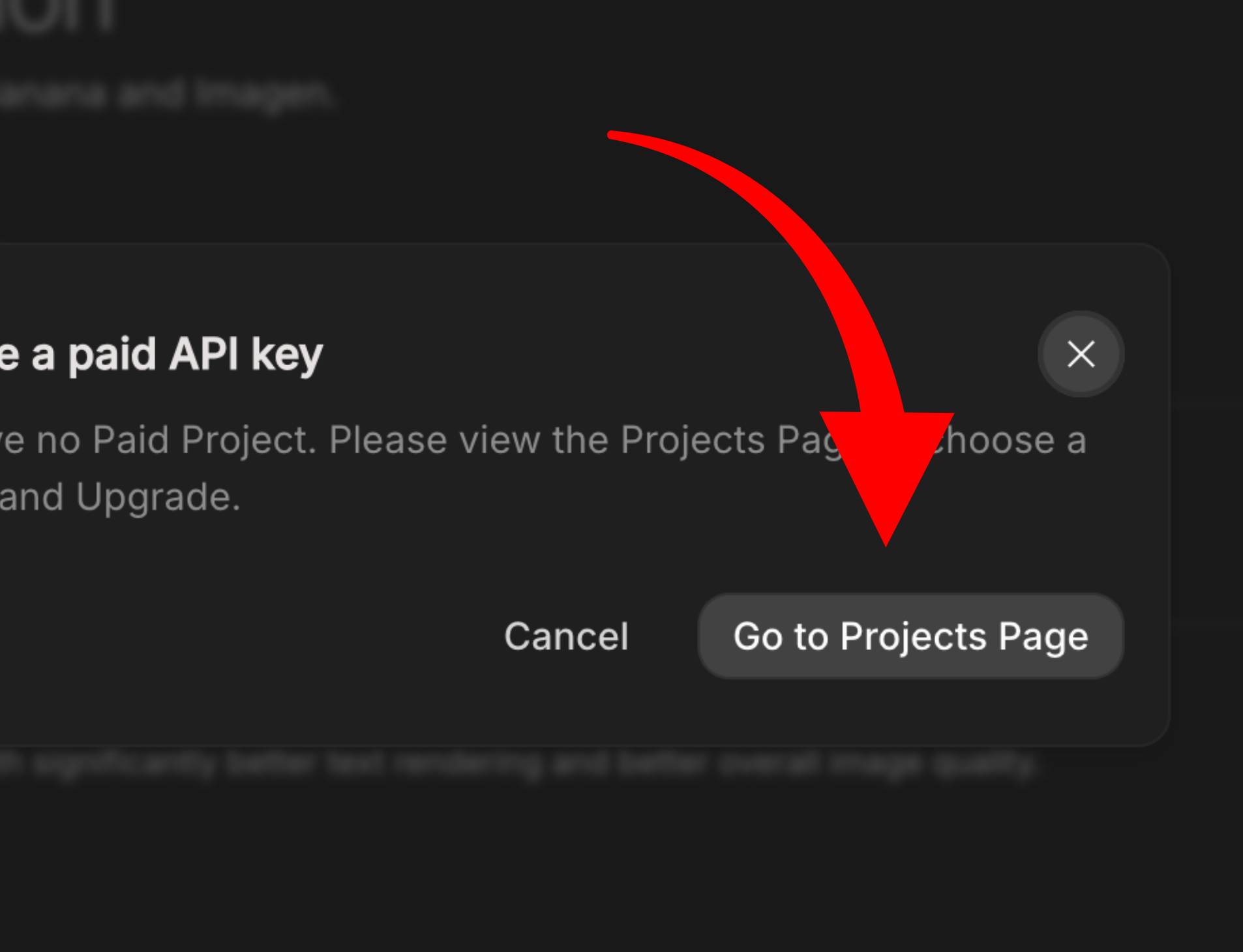
Wait 10-15 seconds for the project to initialize.
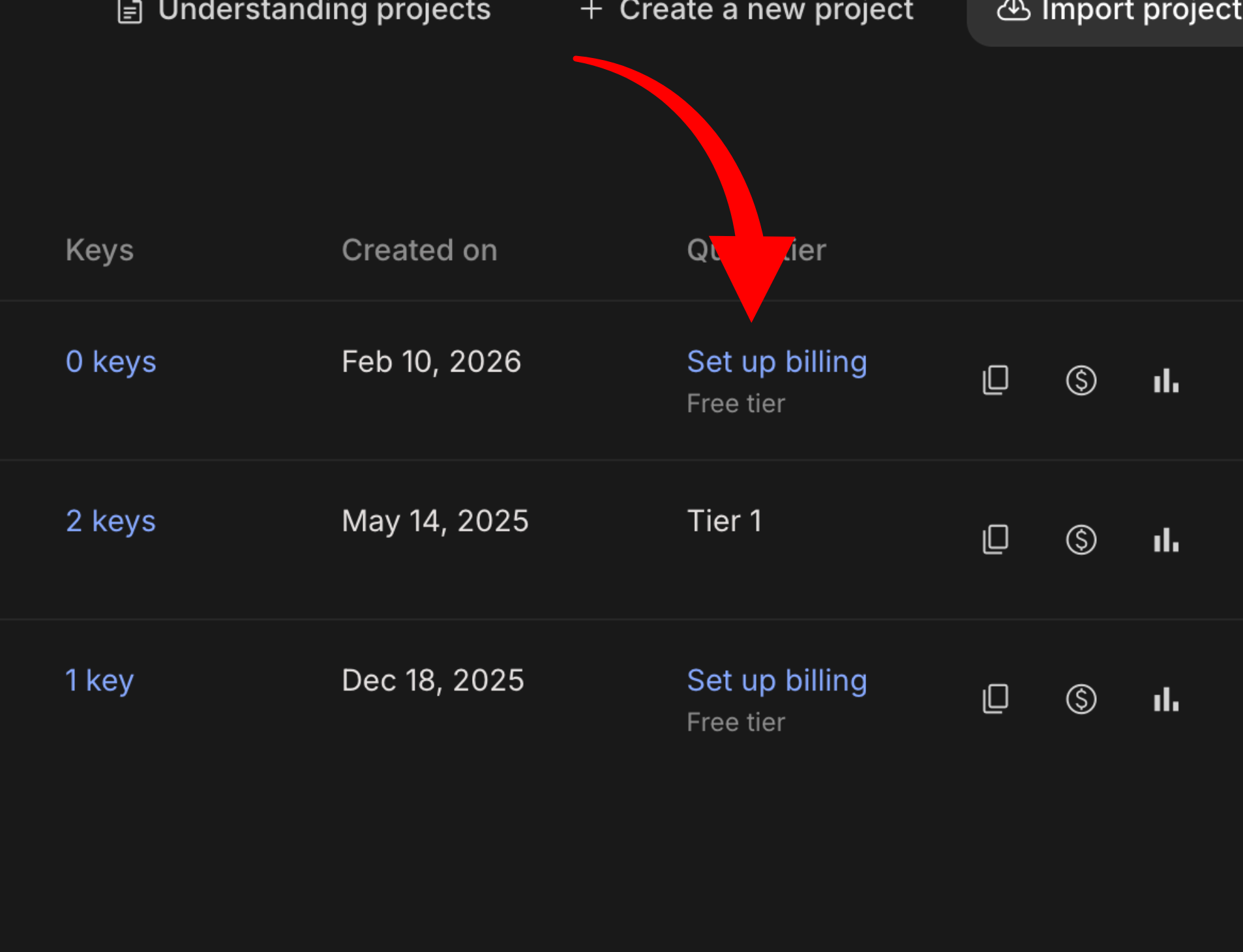
- After project creation, click "Set up Billing"
- Fill in your Name, Address, Phone number
- Add a credit card or UPI (if supported in your region)
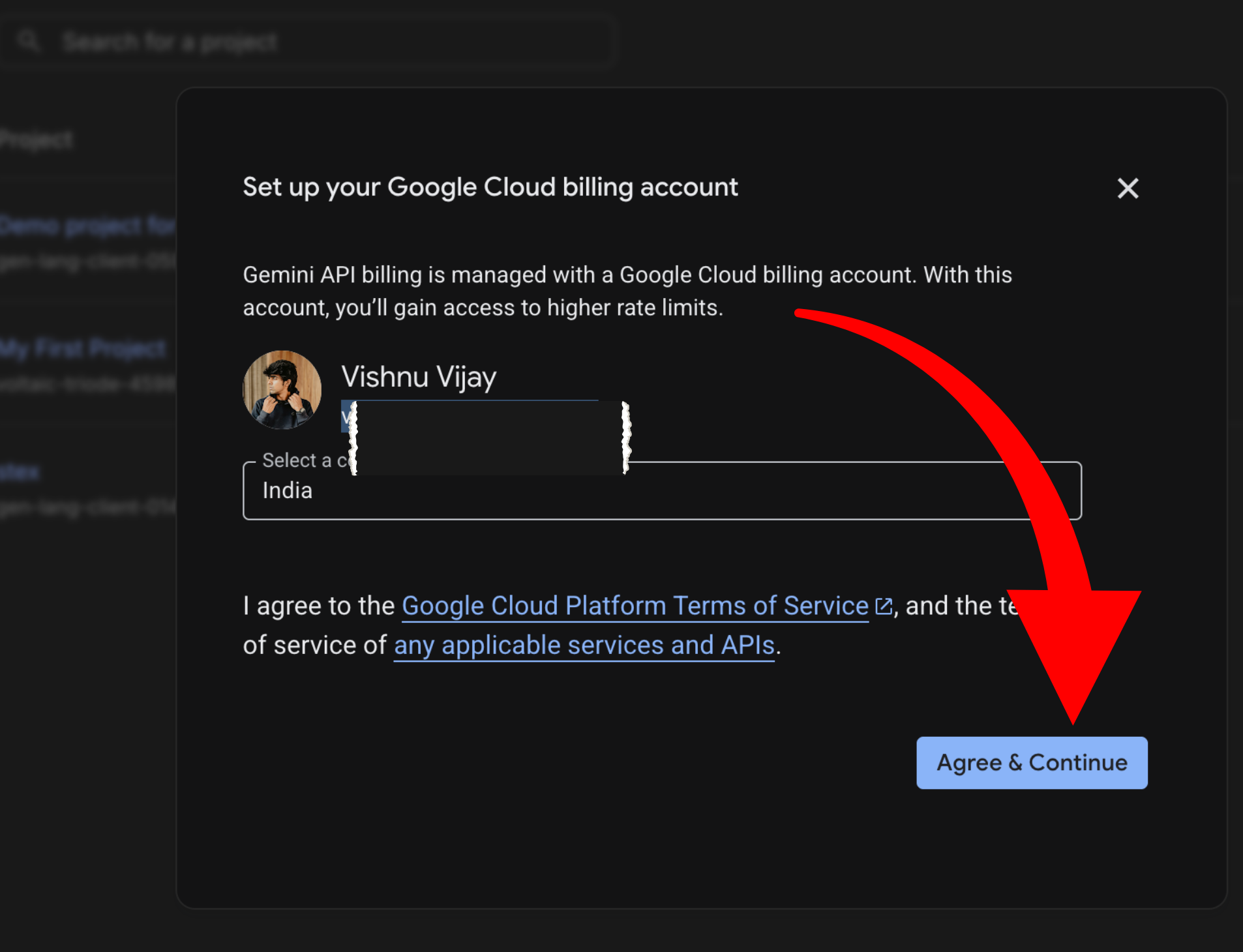
Important:
Google may temporarily block a small refundable amount. You will NOT be charged unless you manually upgrade beyond free trial.
- After billing setup, you will be redirected to Google Cloud Console
- At the top, you'll see "Upgrade to Free Trial" or similar
- Click it and confirm
You now have: $300 in credits, valid for 90 days, usable across AI APIs (Nano Banana Pro, Veo, Vertex AI, etc.)
2
Generate Your API Key (Critical Step)
- Return to Google AI Studio
- Click on Projects (top area)
- You'll see your new project listed
- You may see "0 Keys" - click it
- Click Create New API Key
- Copy and save this key somewhere safe
If you see "Tier 1" next to your project - billing + activation worked correctly. If not, double-check billing info and wait a few minutes.
3
Connect API to Nano Banana or Veo
- Open Nano Banana Pro or Veo 3.1 inside AI Studio
- Click Add API
- Select the project you created
- Choose the API key you generated
- Confirm
What This Unlocks
Higher usage limits
Full API-level control
Massive generation capacity
Ability to scale properly
~2,500+ images
~900+ videos
All powered by your $300 credit pool.
Important Things to Know
- -Credits expire after 90 days
- -You are NOT charged unless you manually upgrade
- -Monitor usage in Google Cloud Console
- -Keep API keys private